From one Station to a fleet
Run one logical Headquarters and two execution stations on your laptop. This is the smallest topology that demonstrates real distribution, placement, draining, shared schedules, and worker recovery.
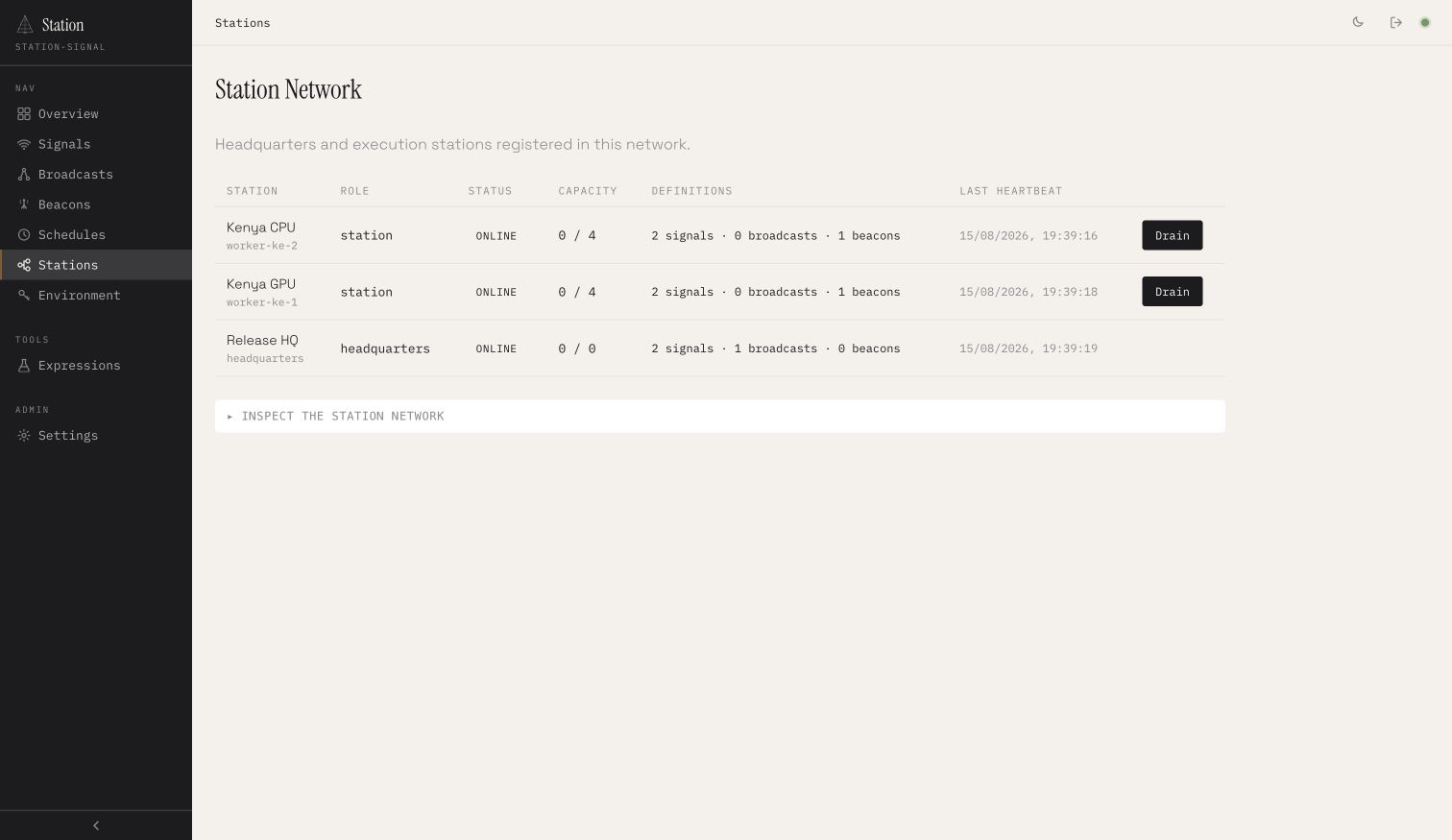
The working source is in examples/16-station-network. SQLite coordinates these local processes because they share one filesystem. Across machines, switch all shared adapters to PostgreSQL, MySQL, or Redis.
1. Define work with two levels of capacity
import { signal, z } from "station-signal"; export const renderPreview = signal("render-preview") .input(z.object({ release: z.string() })) .env("ASSET_BUCKET") .concurrency({ station: 1, network: 1 }) .placement({ labels: { gpu: "true", region: "ke" } }) .run(async ({ release }) => { return renderTo(process.env.ASSET_BUCKET!, release); });station: 1 protects each worker. network: 1protects the fleet. Placement means only an online station with both labels may claim this signal.
2. Configure Headquarters
export default defineConfig({ role: "headquarters", port: 5600, signalsDir: "./signals", broadcastsDir: "./broadcasts", adapter: new SqliteAdapter({ dbPath }), broadcastAdapter: new BroadcastSqliteAdapter({ dbPath }), beaconAdapter: new BeaconSqliteAdapter({ dbPath }), scheduleAdapter: new ScheduleSqliteAdapter({ dbPath }), envStorage: new EnvSqliteAdapter({ dbPath }), network: { id: "release-demo", stationId: "headquarters", adapter: new StationNetworkSqliteAdapter({ dbPath }), }, auth: { username: "admin", password: "station" },});Headquarters serves the API and dashboard, validates definitions, reconciles schedules and broadcasts, and enqueues work. Its signal execution capacity is always zero.
3. Configure reusable workers
export default defineConfig({ role: "station", port: Number(process.env.STATION_PORT), signalsDir: "./signals", beaconsDir: "./beacons", adapter: new SqliteAdapter({ dbPath }), beaconAdapter: new BeaconSqliteAdapter({ dbPath }), envStorage: new EnvSqliteAdapter({ dbPath }), network: { id: "release-demo", stationId: process.env.STATION_ID!, adapter: new StationNetworkSqliteAdapter({ dbPath }), labels: { region: process.env.STATION_REGION!, gpu: process.env.STATION_GPU!, }, }, runner: { maxConcurrent: 4 },});4. Start the topology
# Terminal 1pnpm hq # Terminal 2STATION_ID=worker-ke-1 STATION_PORT=5610 STATION_GPU=true pnpm worker # Terminal 3STATION_ID=worker-ke-2 STATION_PORT=5620 STATION_GPU=false pnpm workerOpen http://127.0.0.1:5600, sign in, and visit Stations. Create ASSET_BUCKET under Environment, then trigger work from a signal page or create a runtime schedule.
What to prove before production
- One run and one schedule occurrence have exactly one owner.
- Unconstrained work reaches more than one eligible station.
- Station and network concurrency never exceed their declarations.
- GPU work never reaches a CPU-only station.
- A draining station receives no new work.
- Expired leases recover, and stale owners cannot commit results.
- Shutdown lets active work finish and marks the station offline.
Continue with the full Station Networks guidefor adapter selection, beacon proxying, timing semantics, and production security.