A simple background
jobs framework.
Start as one TypeScript process with SQLite. Grow into a Station Network backed by PostgreSQL, MySQL, or Redis when you need more capacity. Retries, cron scheduling, workflows, long-running services, and a separate fleet dashboard are available. Give agents persistent shell workspaces and browser tools when their jobs need more than a function.
A love letter to
everything you automate.
What you get.
Everything you need for production background jobs. Nothing you don't.
Scheduling & triggers
Intervals plus five-field cron in an IANA timezone. Preview future occurrences, trigger on demand, and claim each fleet occurrence exactly once.
Run history
Every execution recorded with input, output, errors, timing, and attempt count. Query through the adapter or browse with Station's monitoring dashboard.
Automatic retries
Per-signal retry count with exponential backoff. .retries(3) gives 4 total attempts. Failed jobs re-enqueue automatically without intervention.
Type-safe inputs
Zod schemas validate every trigger payload before it enters the queue. TypeScript infers handler argument types from the schema. Invalid data never reaches your handler.
Concurrency limits
Bound a signal per Station and across the whole network. Add placement labels so GPU, regional, or specialized work only reaches eligible workers.
Workflow DAGs
Chain signals into directed acyclic graphs with broadcasts. Fan-out to parallel nodes, fan-in with data aggregation, conditional execution via guard functions.
Long-running beacons
Supervise long-lived processes — servers, pollers, and clients — with restart policies, exponential backoff, heartbeat stall detection, and graceful shutdown.
Station Networks
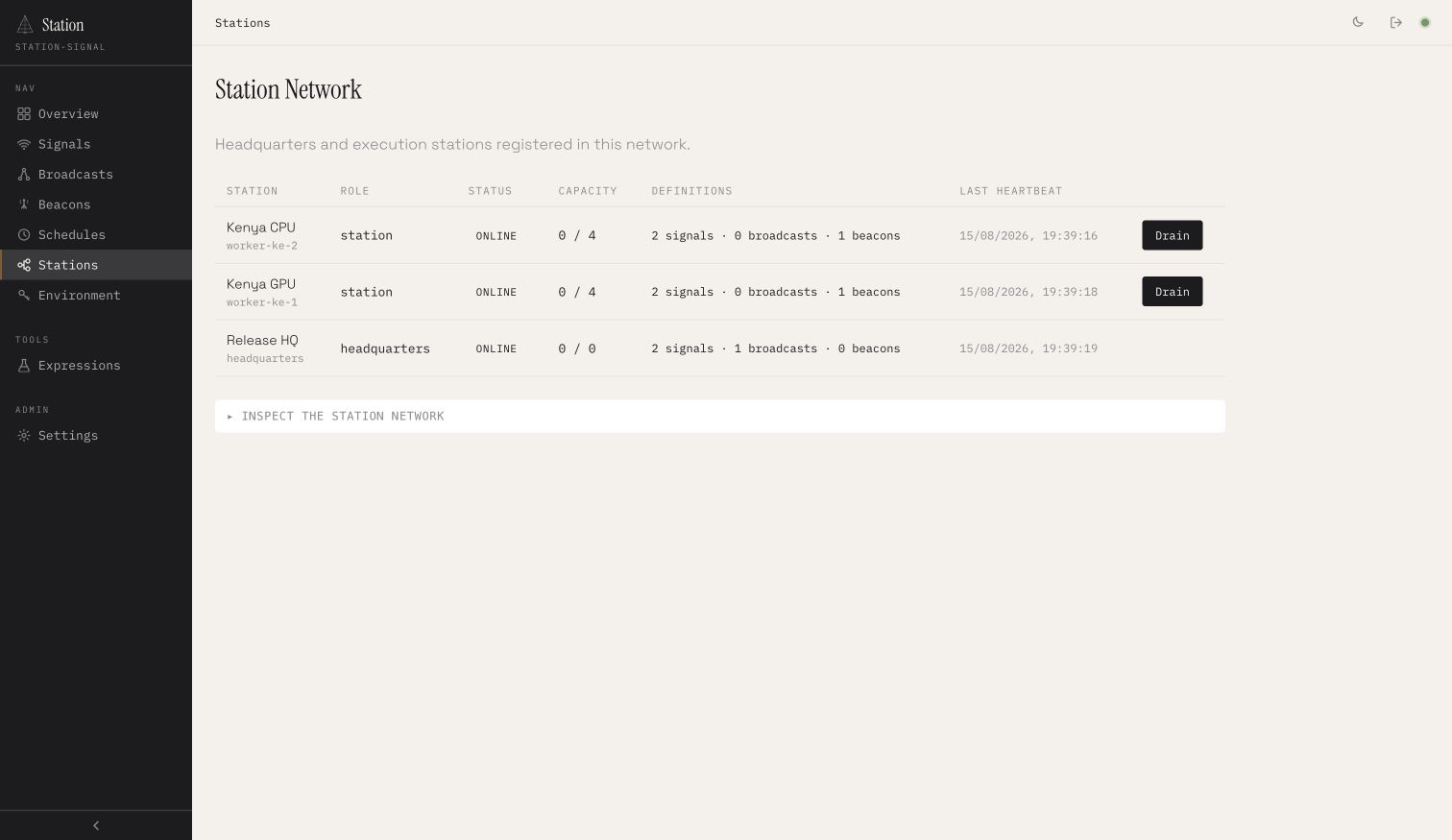
Put Headquarters in front of a fleet. Route stateless work, drain workers, deduplicate schedules, supervise beacons, and inspect everything from one dashboard.
Define it in TypeScript.
Run it anywhere.
A signal is a background job definition — input schema, handler function, execution constraints. Define them in your codebase. The runner auto-discovers signal files, handles scheduling, retries, timeouts, and concurrency. Station Daemon composes the runners and API; the independent dashboard connects to local or remote daemons.
View documentation →import { signal, z } from "station-signal" export const loveLetter = signal("loveLetter") .input(z.object({ to: z.string() })) .every("1d") .retries(2) // Step 1: compose the letter .step("compose", async (input) => { const letter = await ai.generate( "To all the jobs I love..." ) return { to: input.to, letter } }) // Step 2: send it .step("send", async (prev) => { await mailer.send({ to: prev.to, body: prev.letter }) return prev }) // Step 3: tip a dollar .step("tip", async (prev) => { await wallet.send(prev.to, 1.00) }) .build()One Station when you're small.
A whole network when you're not.
Headquarters gives clients one API while execution stations advertise capacity, labels, and definitions. Atomic claims choose one owner for every run and schedule occurrence; leases recover work when a worker disappears. Drain nodes and watch the entire fleet from the dashboard.
Some jobs need a workspace.
Some need a browser.
Keep the same background-job foundation. Add the environment your agent needs, on a worker you control.
- Your applicationTrigger the workA signal handles one job. A broadcast connects jobs. A beacon stays available.
- Station workerUse the right toolsCall a persistent shell workspace or an agent-controlled browser session.
- Your dashboardSee what happenedInspect run history, command output, files and recorded browser frames.
Working entirely on the device? The experimental browser runtime runs local signals, broadcasts and beacons with IndexedDB.
Why another
background jobs library?
Existing solutions work. They also come with trade-offs Station doesn't.
- Requires Redis or MongoDB
- Docker and ops overhead
- Complex configuration
- Full control over execution
- Hosted infrastructure
- Additional cloud bill
- Data on third-party servers
- Vendor-specific APIs
- SQLite by default; shared adapters when you scale
- One process or a fleet of execution stations
- Runs on your servers with no hosted control plane
- One API and dashboard across the network
- Full TypeScript with Zod validation
- Same reliability: retries, timeouts, concurrency
Five minutes to your first signal.
Install the runtime and Station Daemon, define a signal, then start Station. SQLite is enough for the first process.
pnpm add station-signal station-daemon